> ## Documentation Index
> Fetch the complete documentation index at: https://docs.osto.one/llms.txt
> Use this file to discover all available pages before exploring further.
# Secure Server Logs
> A record of sessions opened to your secure servers.
**Secure Server Logs** records the sessions users open to your secure servers through Secure Server Access.
> **Path:** Logs → Secure Server Logs
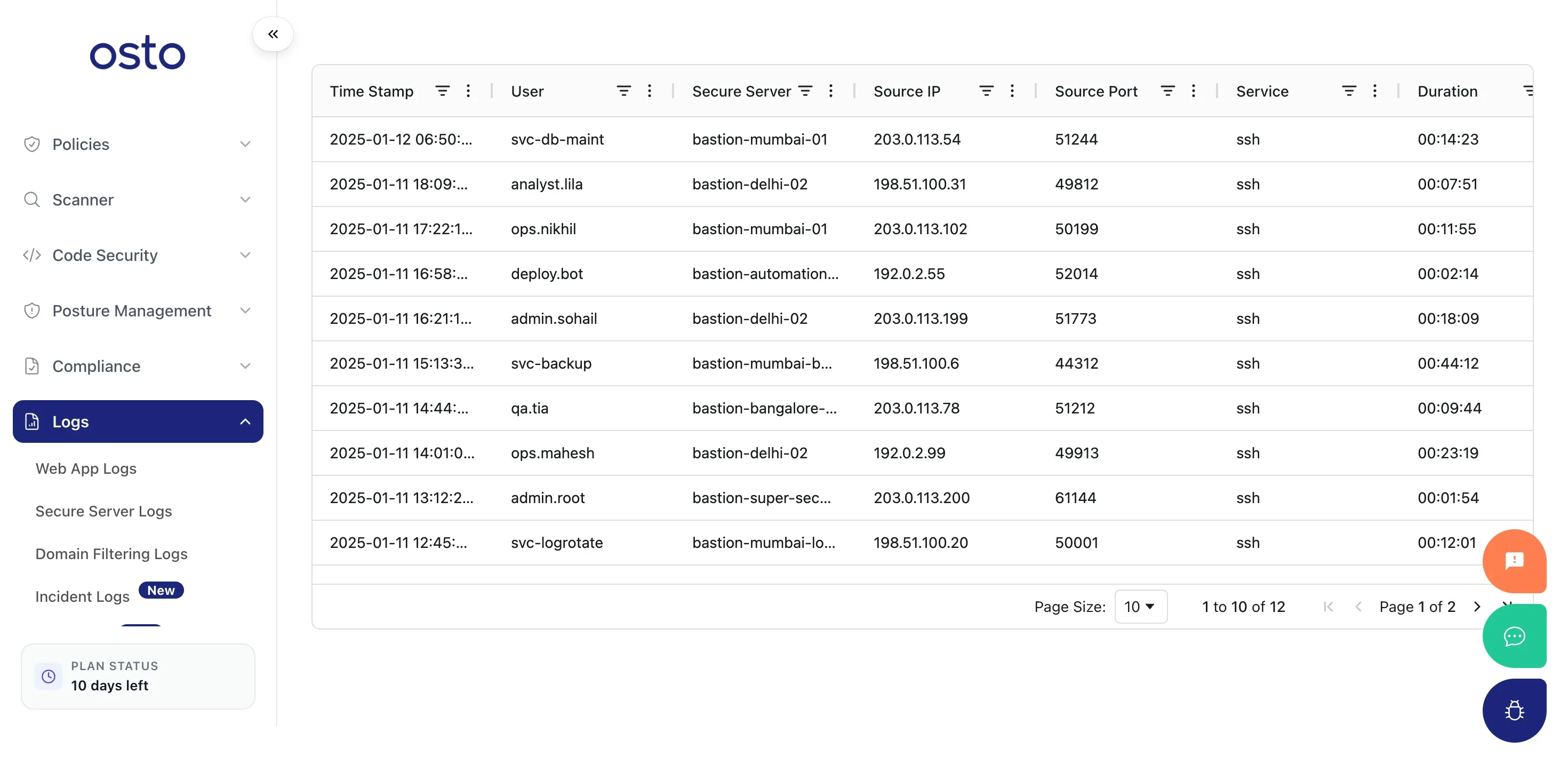 The table includes these columns:
| Column | Description |
| ----------------- | -------------------------------- |
| **Timestamp** | When the session occurred. |
| **User** | The user who connected. |
| **Secure Server** | The server they connected to. |
| **Source IP** | Where the connection originated. |
| **Source Port** | The source port used. |
| **Service** | The service accessed. |
| **Duration** | How long the session lasted. |
Entries appear here as users connect through Secure Server Access; until then the table shows *"No Rows To Show."* Use the column filters to find sessions by user, server, or time.
The table includes these columns:
| Column | Description |
| ----------------- | -------------------------------- |
| **Timestamp** | When the session occurred. |
| **User** | The user who connected. |
| **Secure Server** | The server they connected to. |
| **Source IP** | Where the connection originated. |
| **Source Port** | The source port used. |
| **Service** | The service accessed. |
| **Duration** | How long the session lasted. |
Entries appear here as users connect through Secure Server Access; until then the table shows *"No Rows To Show."* Use the column filters to find sessions by user, server, or time.