

Path: Compliance → AutoComply
First-run setup
The first time you open AutoComply, a Guided Setup assistant walks you through enabling compliance for your workspace. It captures a few essentials used throughout your policies and attestations: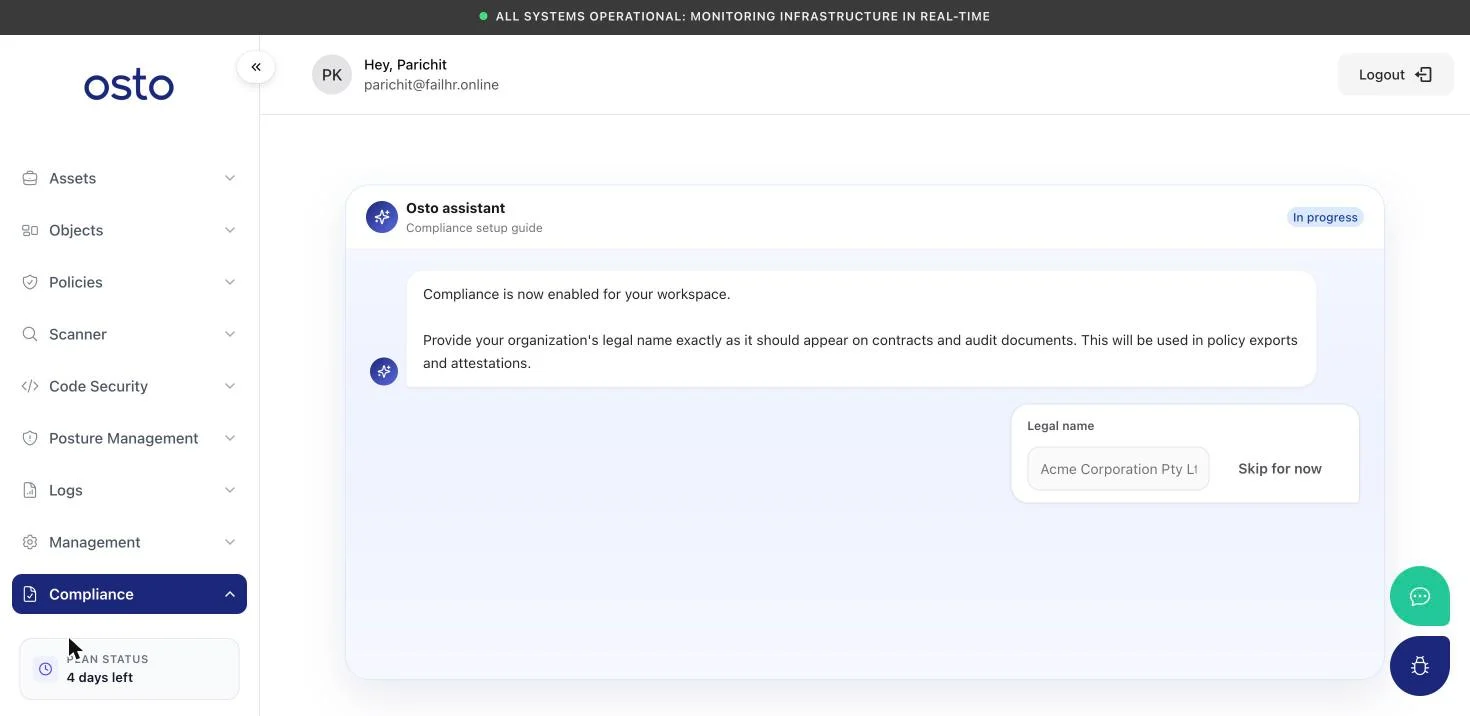
The AutoComply guided setup — a conversational assistant that enables compliance and captures your organization details.
- Enable compliance for your workspace.
- Organization legal name — exactly as it should appear on contracts and audit documents.
- Default policy author — chosen from your workspace admins; listed as the author on generated policies.
- Policy logo — branding for generated documents.
- Activate your first framework.
Everything you enter during setup can be edited later under Compliance → Settings.
Frameworks
The Frameworks page lists the compliance standards you can work toward. SOC 2 Type II is available to activate today; others — CCPA, FedRAMP, GDPR, HIPAA, ISO 27001:2022, ISO 42001:2023, and PCI-DSS v4.0 — are on the roadmap and marked Coming soon.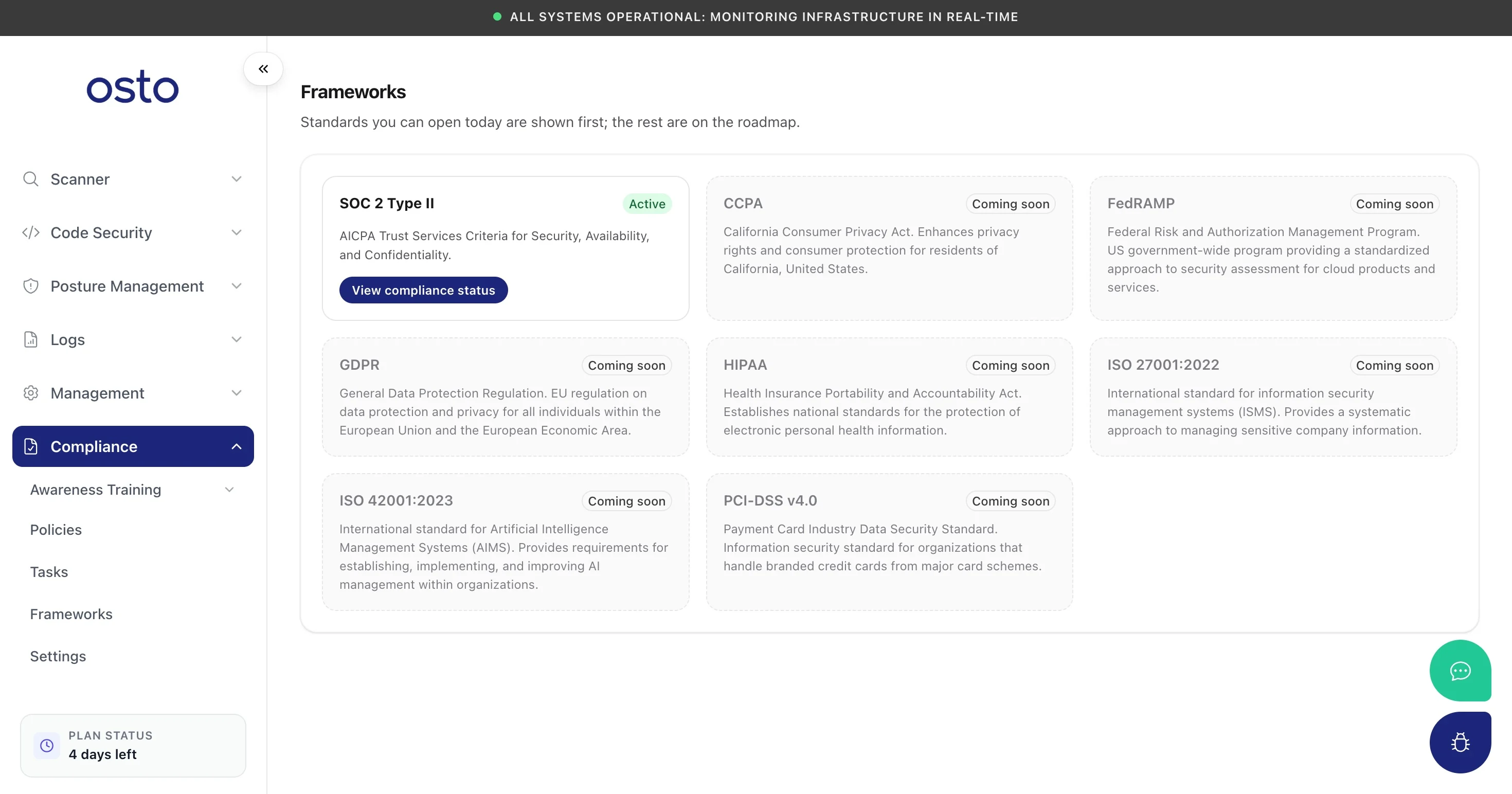
Frameworks — SOC 2 Type II is active; more standards are on the roadmap.
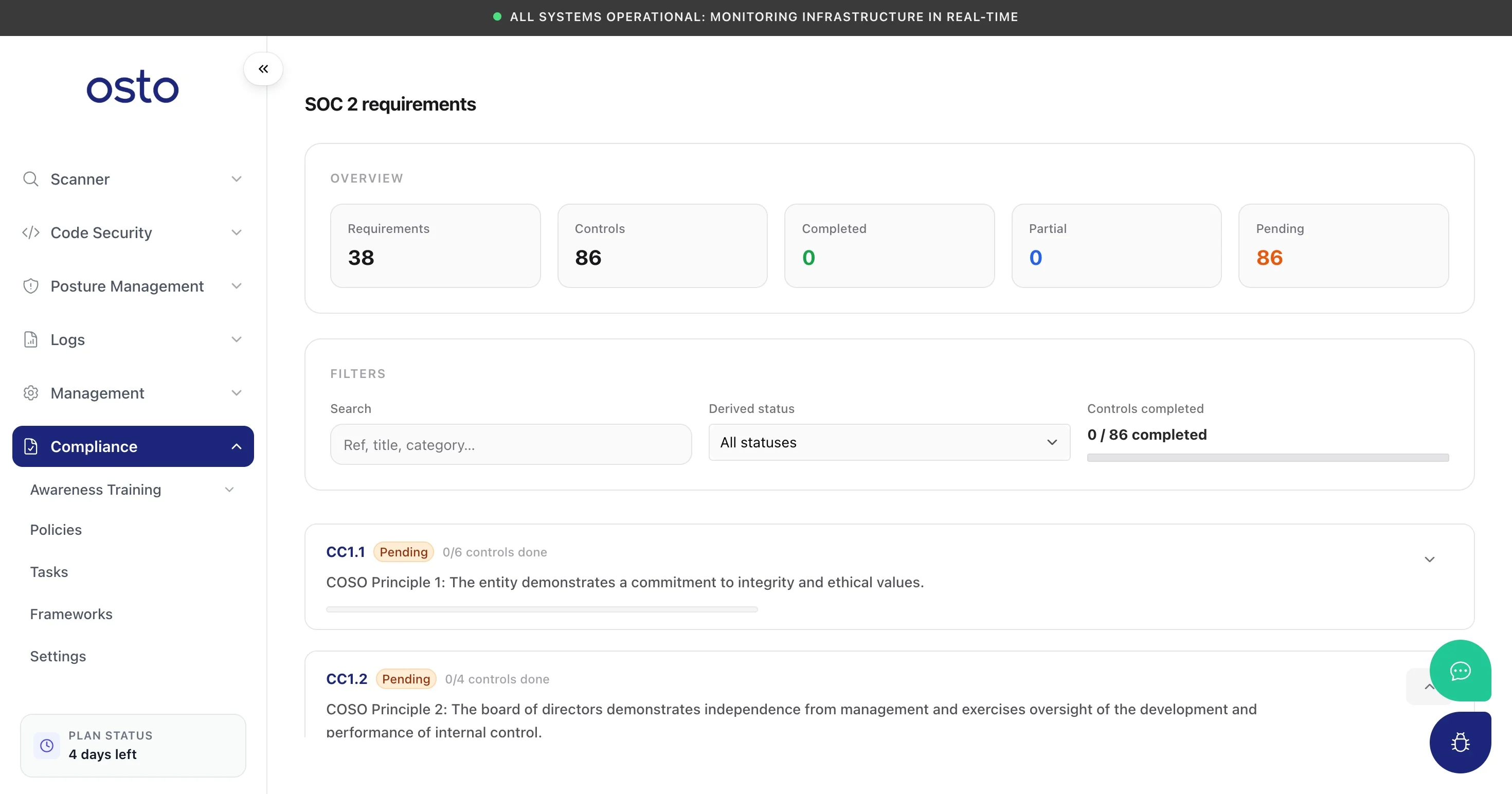
A framework's requirements — controls grouped by criterion, each tracked to completion.
Policies
The Policies page is your library of company policies, pre-mapped to your active framework. Each policy moves through a workflow — Not started → Draft → Needs approval → Approved — and the summary counts show where everything stands.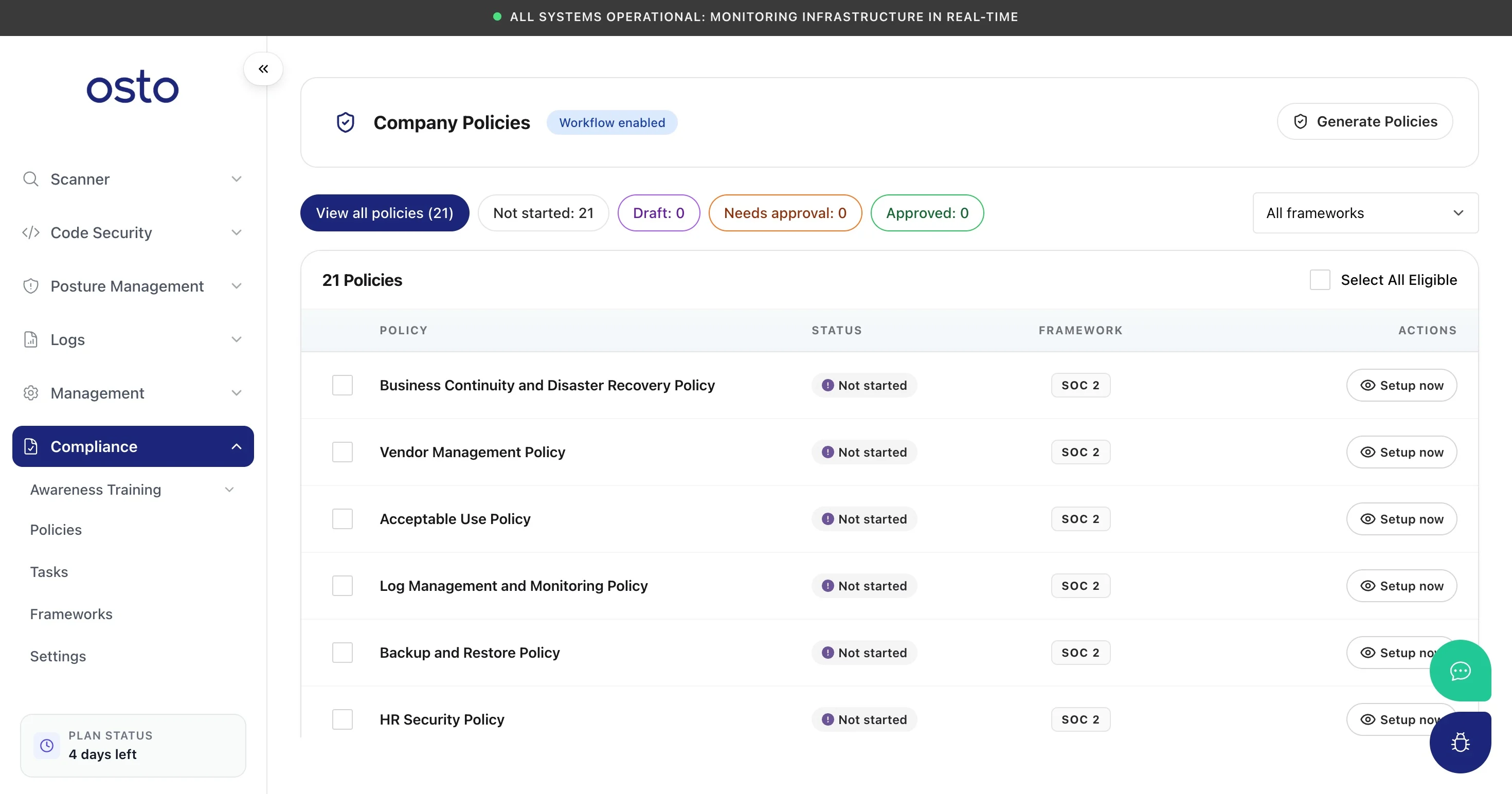
Company Policies — a framework-mapped library with an approval workflow.
Tasks
The Tasks page is your compliance pipeline — the concrete to-dos that move you toward audit-readiness.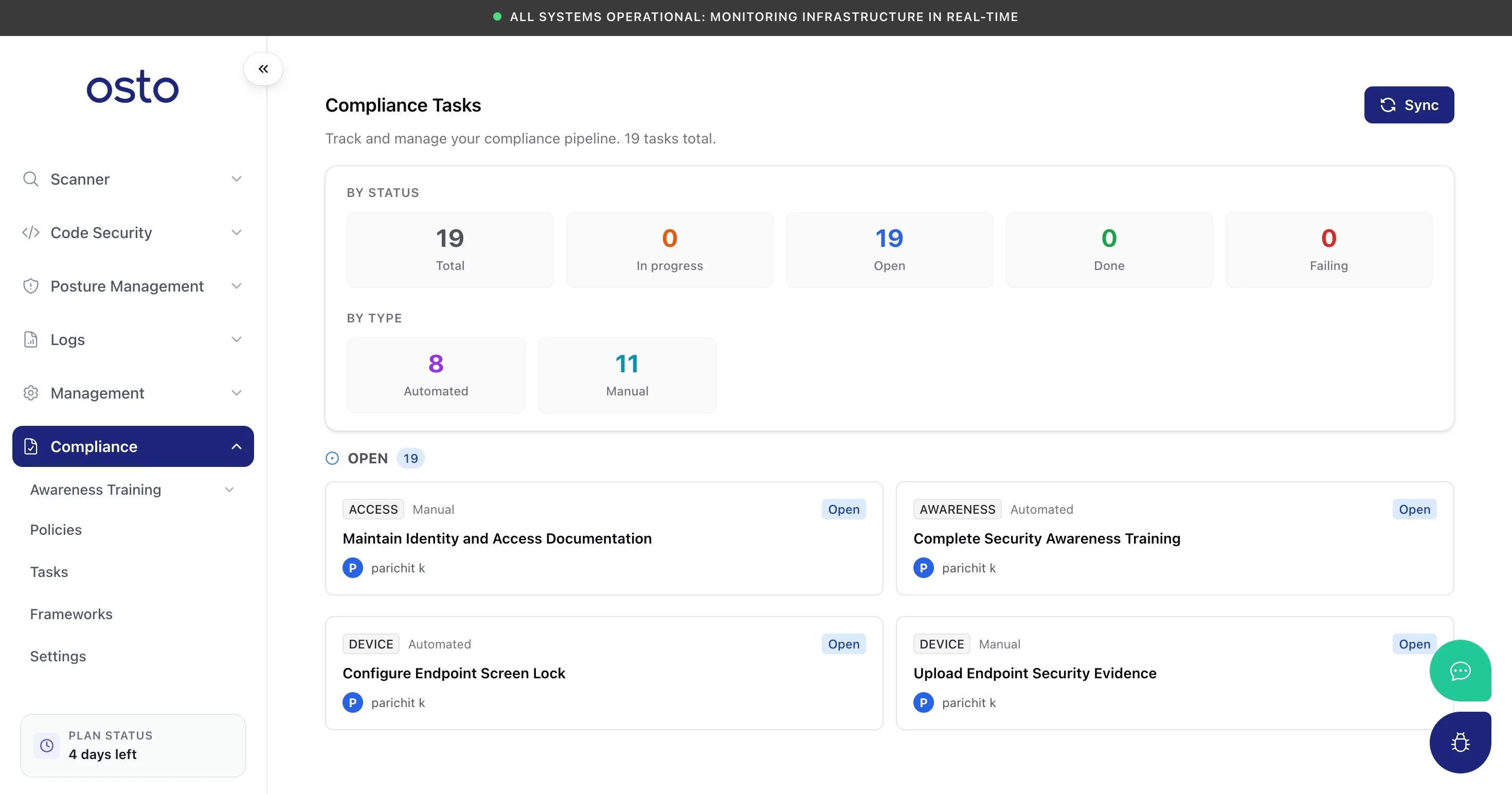
Compliance Tasks — automated and manual to-dos tracked by status and category.
Awareness Training
AutoComply includes a full security awareness training module so you can satisfy the “train your people” controls every framework requires — build programs from a starter pack, assign them to employees, and track completion. It’s a feature in its own right:Awareness Training
Build training programs and modules, assign them to employees, and track completion — plus the employee self-service experience for completing training and acknowledging policies.
Settings
Settings holds the organization details captured during setup — used to populate policy templates and attestations — plus your policy logo.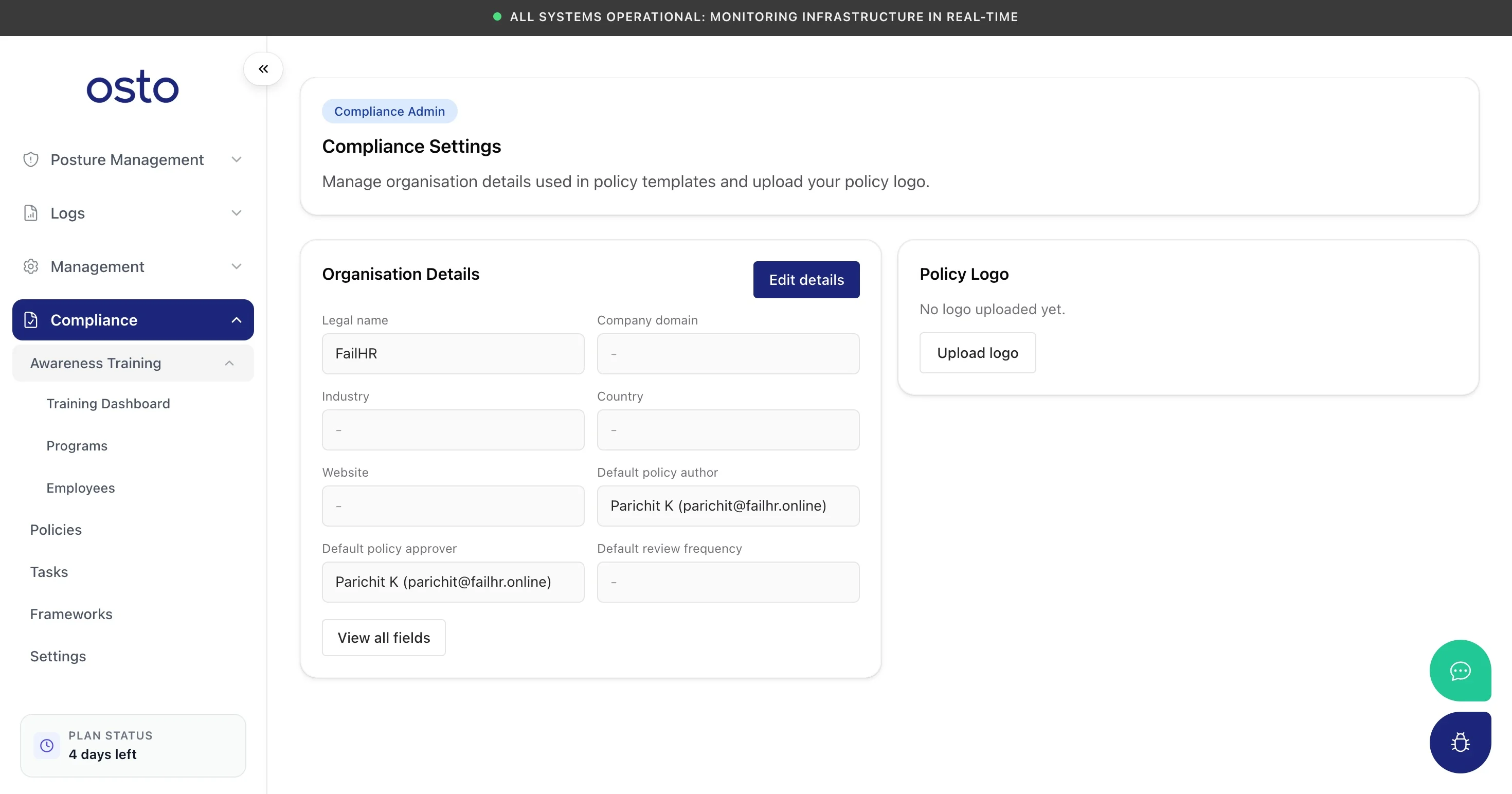
Compliance Settings — organization details and policy logo used across generated documents.