

Path: Scanner → App Scanner
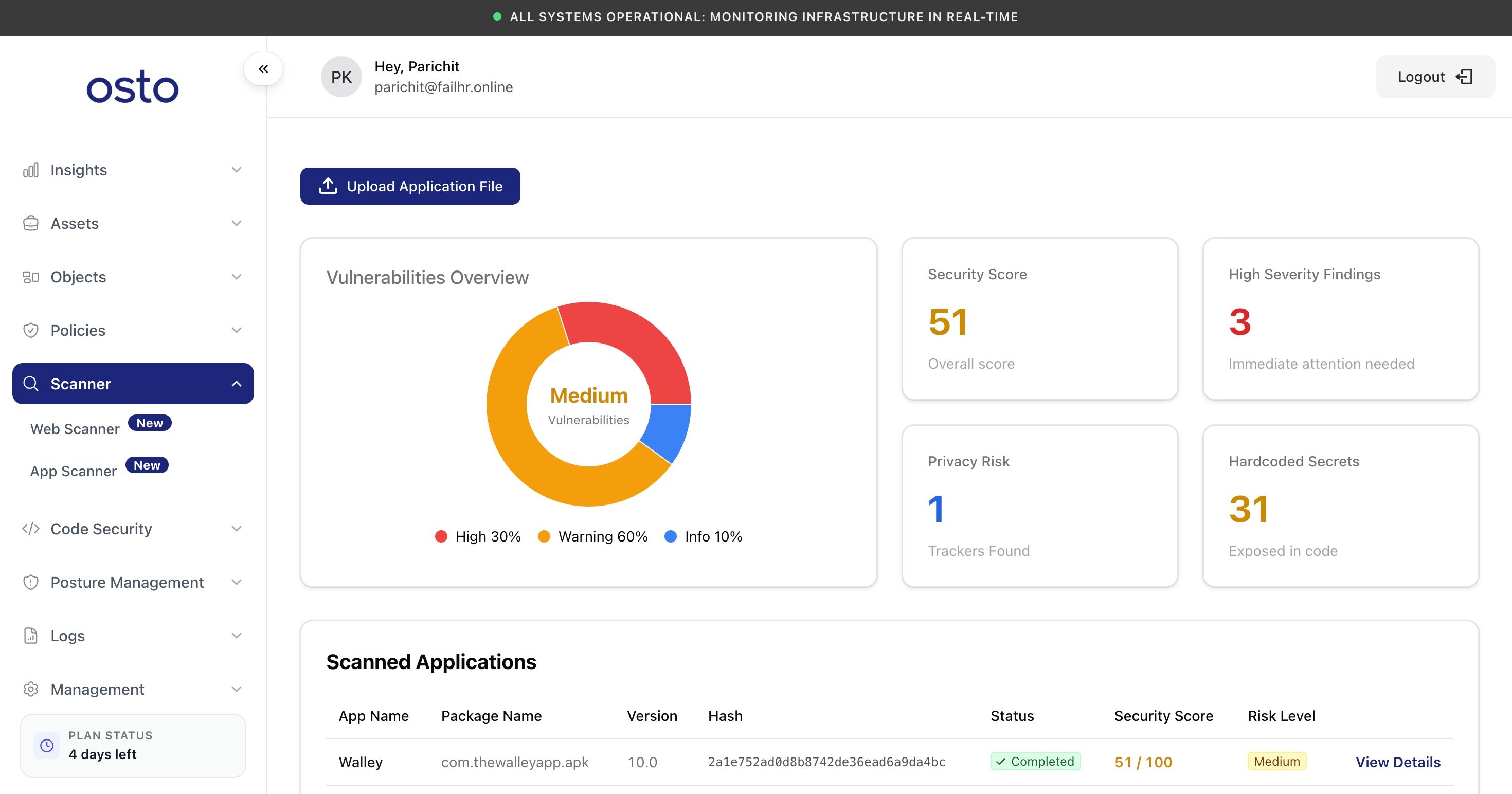
The App Scanner overview after a scan — a vulnerability breakdown plus four posture metrics.
Upload an app
Click Upload Application File (top-left) to open the upload panel, then drag in your file or click to browse.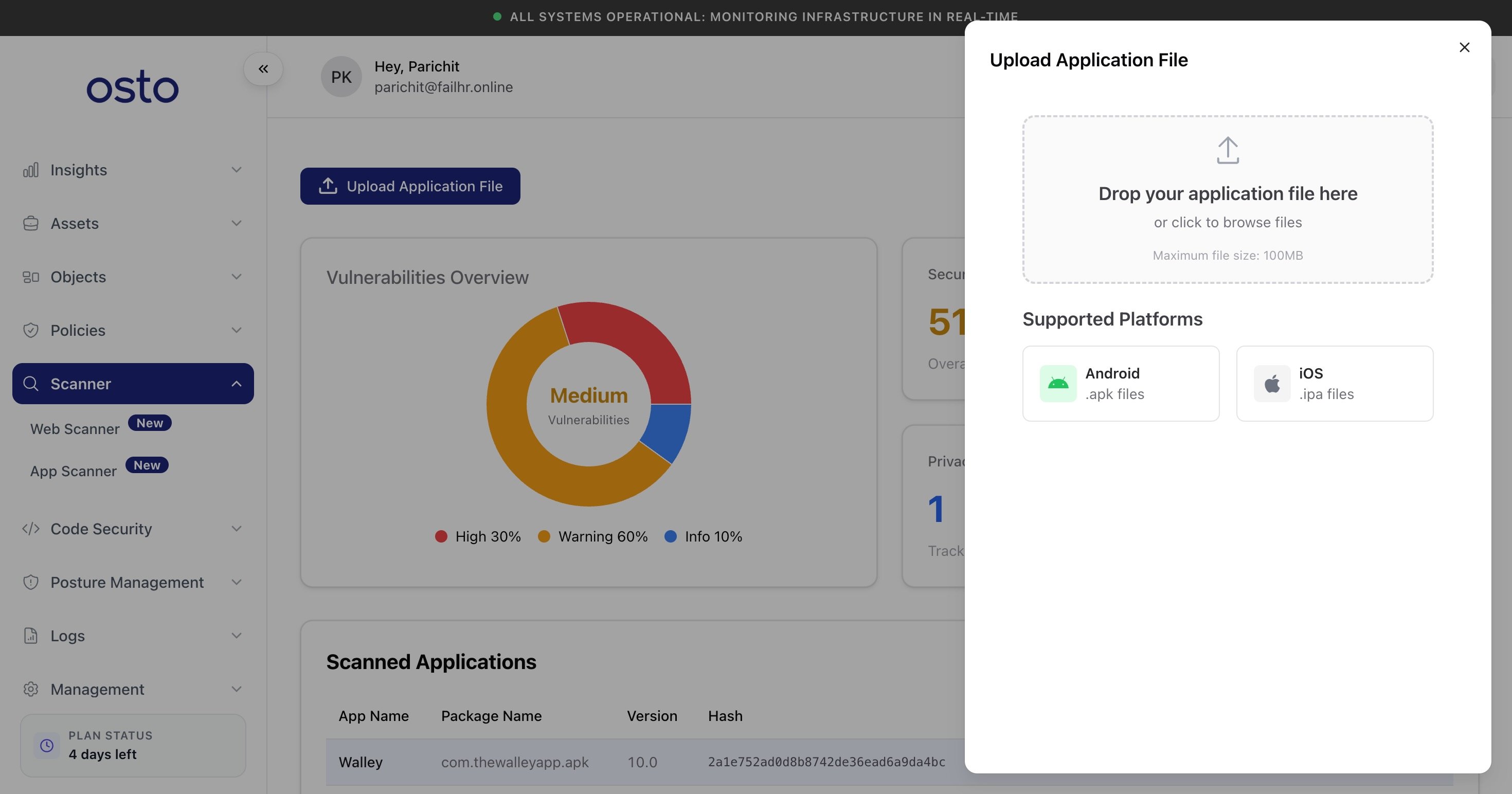
The Upload Application File panel — drop an .apk or .ipa, up to 100 MB.
The maximum file size is 100 MB.
Uploading a build only submits it for analysis. Osto never publishes, distributes, or modifies your app.
Vulnerabilities Overview
Once you’ve uploaded an app, the Vulnerabilities Overview summarizes what the scan found — a donut chart breaks the findings down by severity (High / Warning / Info) with an overall risk rating in the center. Until your first scan completes it shows “No scans yet — Upload an app to see vulnerability analysis.” Alongside it, four metric cards give you a quick read on the app’s posture:Scanned Applications
The Scanned Applications table lists every app you’ve submitted, so you can revisit past results and compare builds over time. Each row shows:
Before your first upload it shows “No scanned applications yet — Upload your first application to start security scanning.” Select View Details on any row to open its full report.
The app report
Opening View Details shows the complete analysis for that build.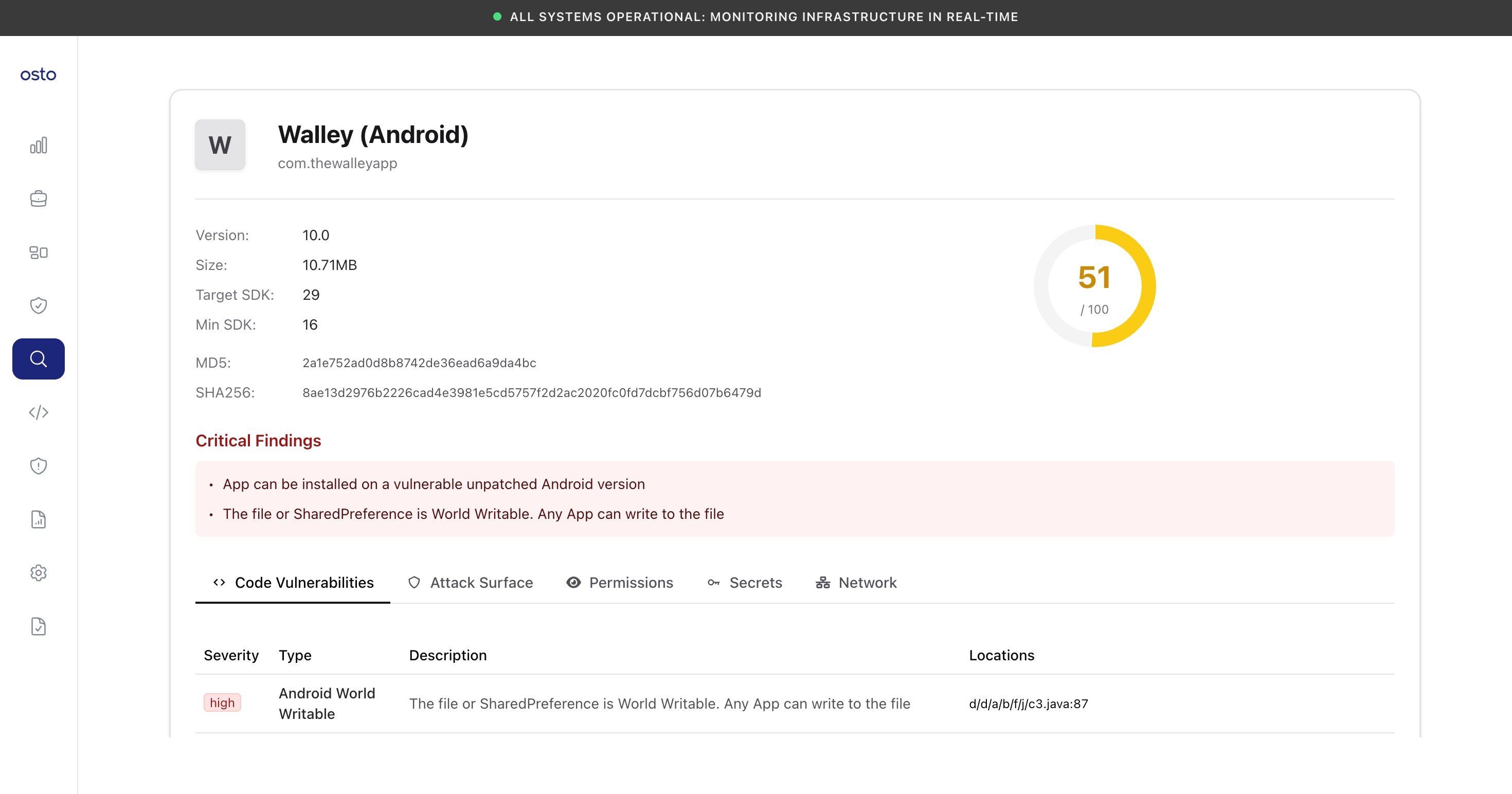
A per-app report — metadata, critical findings, and the analysis tabs.