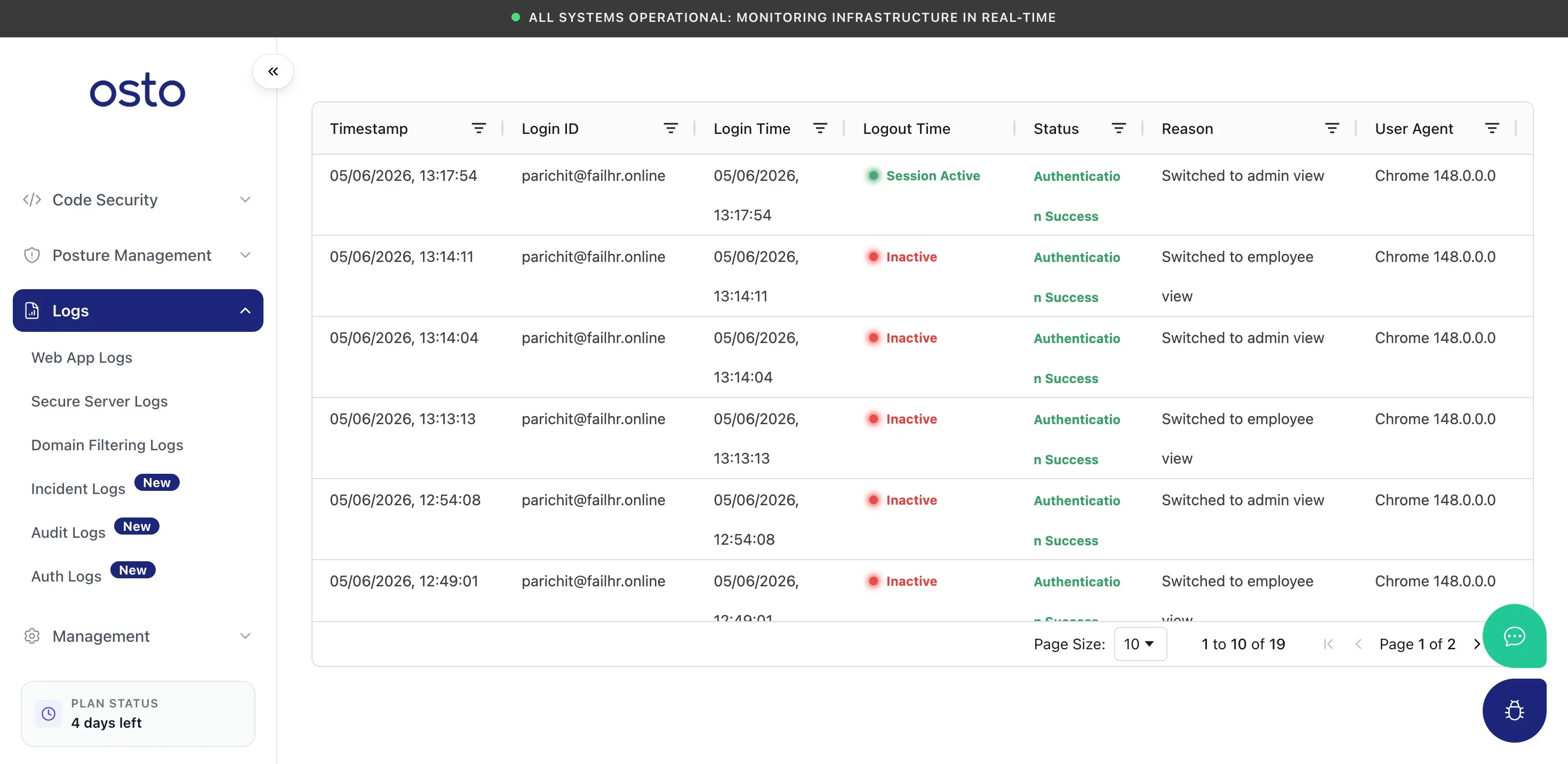
A record of authentication and session events, including role switches.
Auth Logs records authentication and session activity — who signed in, from where, on what device, and any switches between the admin and employee views.
Path: Logs → Auth Logs
Auth Logs — sign-ins, sessions, and role switches.
The table includes these columns:
Column
Description
Timestamp
When the event occurred.
Login ID
The account involved.
Login Time / Logout Time
When the session started and ended.
Status
Whether the session is active or inactive.
Reason
The event reason — such as a successful authentication, or a switch between the admin and employee views.